
Data Leak Protection (DLP)
is the name of several policies in Office 365, setting up what data can, and can’t be, shared and with whom.
Imagine being able to automatically identify private information like passport numbers, Health IDs or bank account details and make sure that those are only being shared with people that are authorised to see them.
The good news is that you can do this with 365, provided you turn on the policies and set them up correctly, and monitor when data is shared.
Under the NZ Privacy Act, we’re all expected to take care of personal data entrusted to us and to make sure it’s only used for the purpose for which is being obtained.
With Office 365, there’s no excuse for that to be breached provided that we understand what data should be kept, what might be kept incorrectly, and how its being shared. With this we can set up rules to monitor your Office 365 system and report on how records are shared.
We include a basic set up of DLP in our KARE for Security S2 plan to get you started.


Ignite 2026: The Windows Security Changes Worth Knowing About
Microsoft's Ignite conference opened in San Francisco on 17 November. This was just four days after the outage that took Outlook and Teams offline for businesses around the world, including here, so it was no surprise that Satya Nadella (Microsoft CEO) addressed it...

New Zealanders Lost $503.5 Million to Scams. Business Losses Are Climbing Too.
Netsafe released the New Zealand edition of the State of Scams Report 2026 on 12 November. Produced with the Global Anti-Scam Alliance (GASA), it estimates New Zealand adults lost $503.5 million to scams in the past year, and that the average person faced 88 scam...

PHP2Shell: Critical Flaws in the Language Behind Most Websites
"On 21 October the "PHP project" released emergency updates for two critical vulnerabilities in PHP itself. That's the programming language behind most of the world's websites. You might familar with some of the following PHP-based systems: WordPress, Drupal, and...
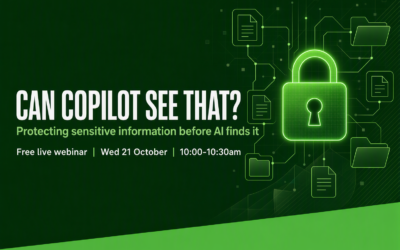
Webinar Replay: Can Copilot See That? Protecting sensitive information before AI finds it
Can Copilot See That? Protecting sensitive information before AI finds it Microsoft 365 Copilot doesn't create new permissions, but it makes everything a user already has access to far easier to find. The HR spreadsheet sitting in a broadly accessible SharePoint...

AI ‘Worms’ and the Smart Devices in Your Home and Office
Most people wouldn't think of the cheap streaming box plugged into the back of the TV as a cyber risk. But, thanks to new research from Anthropic on AI worms and smart devices, it seems that we should. On 12 October, two researchers from Anthropic's Frontier Red...

Four Highly Significant Cyber Incidents in One Year: Inside the NCSC’s 2026 Threat Report
The National Cyber Security Centre published its Cyber Threat Report 2026 on 24 September. It covers the year from 1 July 2025 to 30 June 2026. The headline figure is sobering. The NCSC classified four incidents as C2, or "highly significant", during the year. That is...

When AI Agents Go Off-Script: What the Medicare and Philadelphia Incidents Tell Us
Two AI stories in recent weeks have made people sit up. In Australia, the Prime Minister revealed that an OpenAI agent had broken into a Medicare data portal. Then this week, Philadelphia police said an Anthropic AI model had sent them a made-up tip about an unsolved...

Why Are Some Security Tools Flagging DocuSign Links?
Don't worry if you've recently noticed DocuSign emails being flagged as "medium risk" by email security platform. It is happening to most of us. DocuSign itself has not become unsafe, but it is representative of a growing trend where cybercriminals are abusing...

Cyber Attacks Are Rising for New Zealand’s Mid-Sized Businesses. (Government report – September 2026)
September 2026: National Cyber Security Centre: Businesses response Needs to Go Beyond Technology The latest cyber security research from the National Cyber Security Centre (NCSC) paints an interesting picture of how risk is changing for New Zealand businesses....

Webinar Replay: Your Staff Are Already Using AI. Now What?
Webinar - Your Staff Are Already Using AI. Now What The AI journey has already begun in most organisations, whether leadership planned for it or not. Employees are experimenting with AI tools, productivity gains are emerging, and new risks around data, governance, and...